iPhone · Free · Public beta open

Retake photos in the same spot.

The Vantage Point app icon: a cream V over a mauve ghost V on a twilight gradient.

An iPhone app. The public beta is open.Free on TestFlight today. App Store in October.

Join the beta

It takes you back to where a photo was taken, so you can take it again.

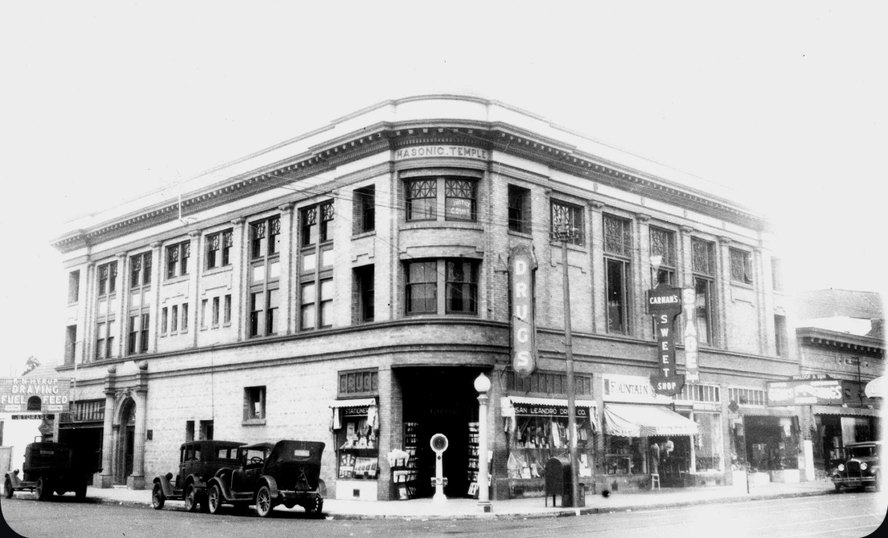
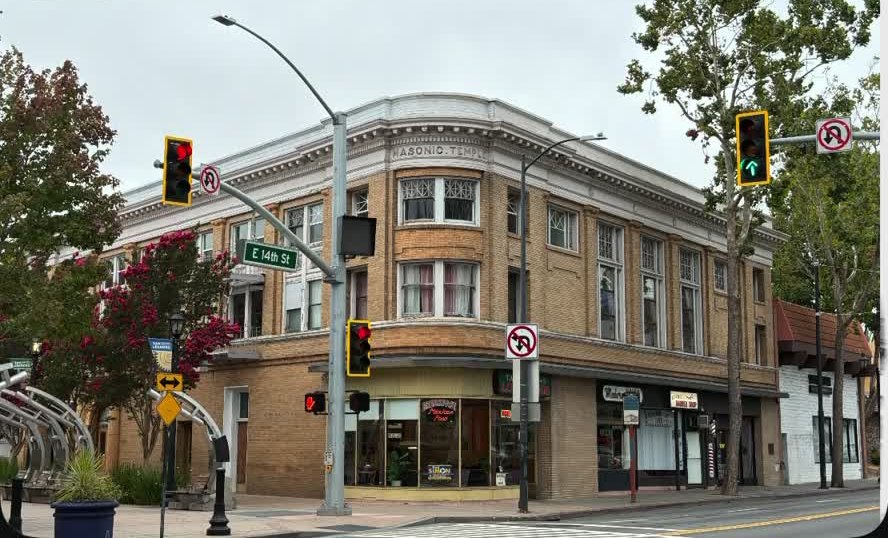
The same corner, about a hundred years apart. Historic photo: “Masonic Building, ca 1924,” San Leandro Historical Photograph and Document Collection.

The pair is the product. Every shot comes out as the two photos together: split, stacked, one wiping into the other, a blend, or one tucked inside the other. Swipe through a few.

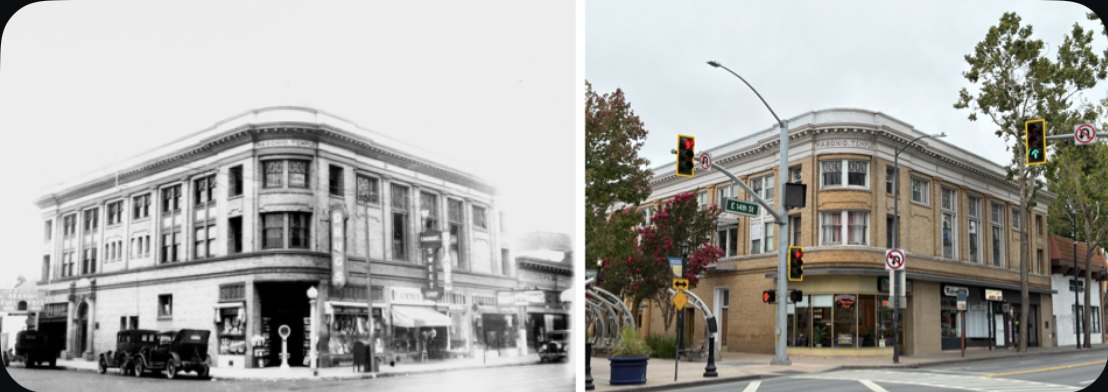
A then-and-now pair exported side by side: the 1924 corner building on the left, the same corner today on the right.
Side by side, straight out of the app.
A then-and-now pair exported with the old photo tucked into a corner of the new one.
Picture in picture.
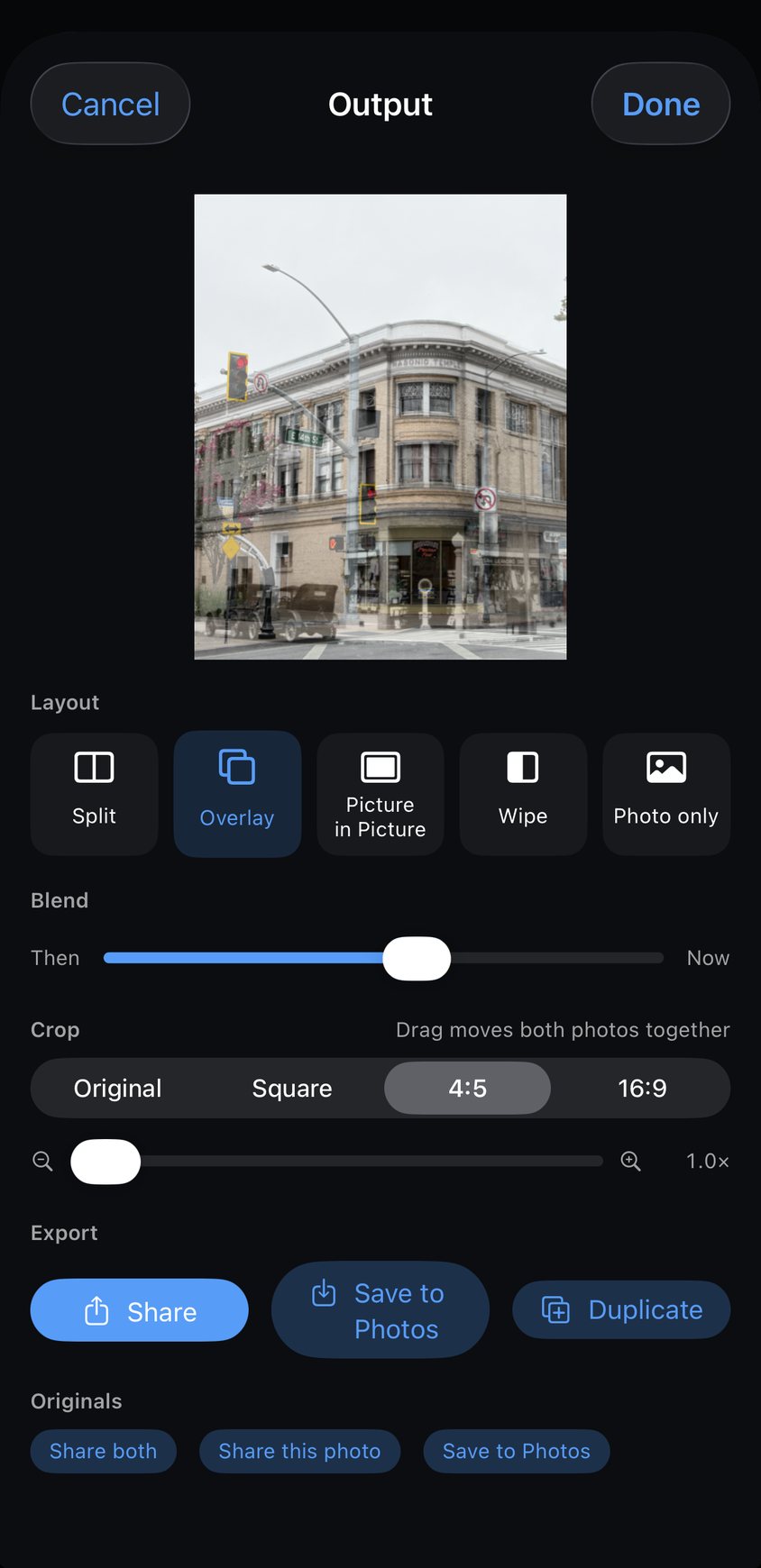
The output screen: the pair in a wipe layout with the crop and layout options underneath.
The output room, where you pick the layout.
The historic photo blended over today's view of the same building.
The blend, mid-alignment.
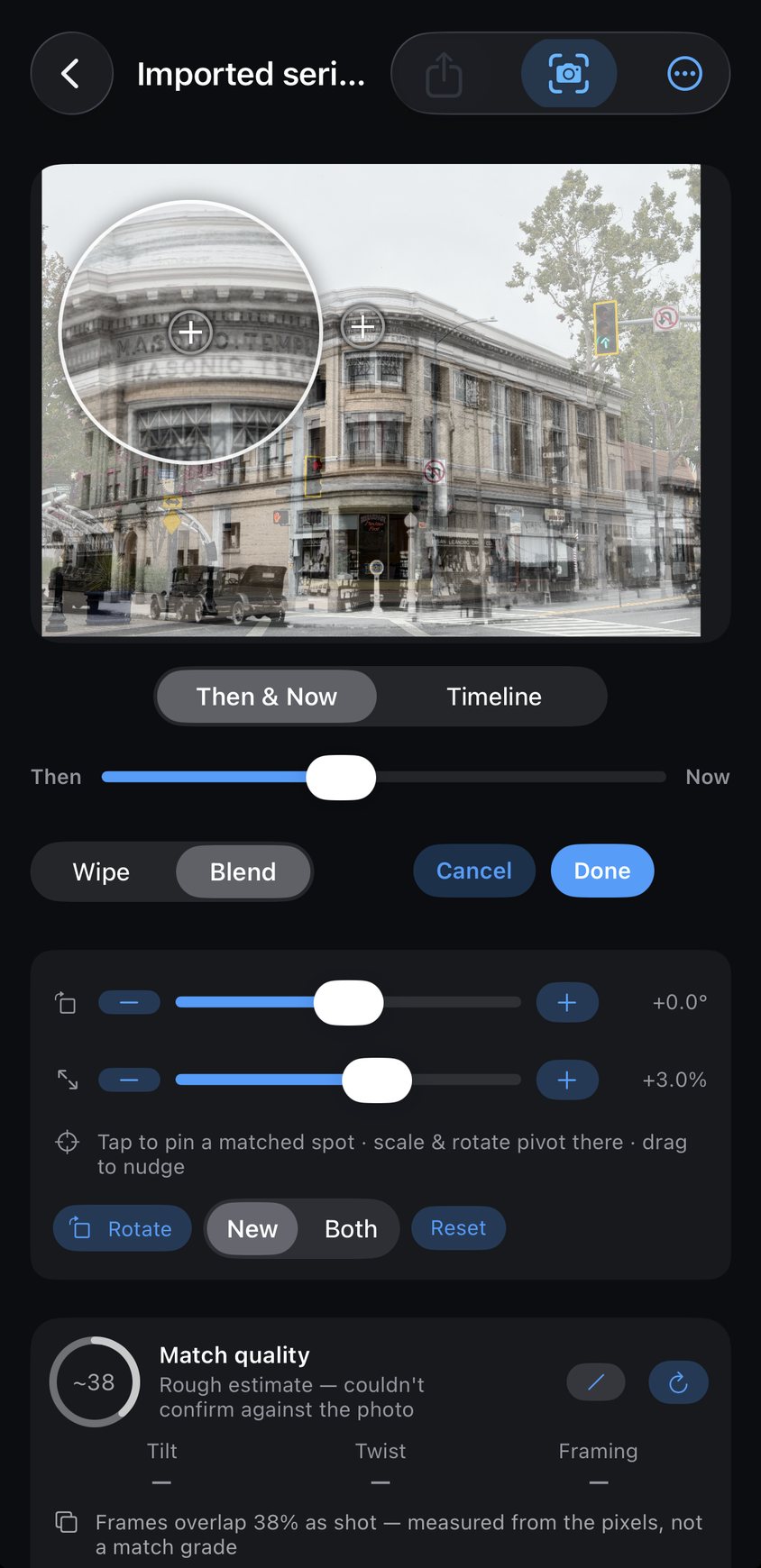
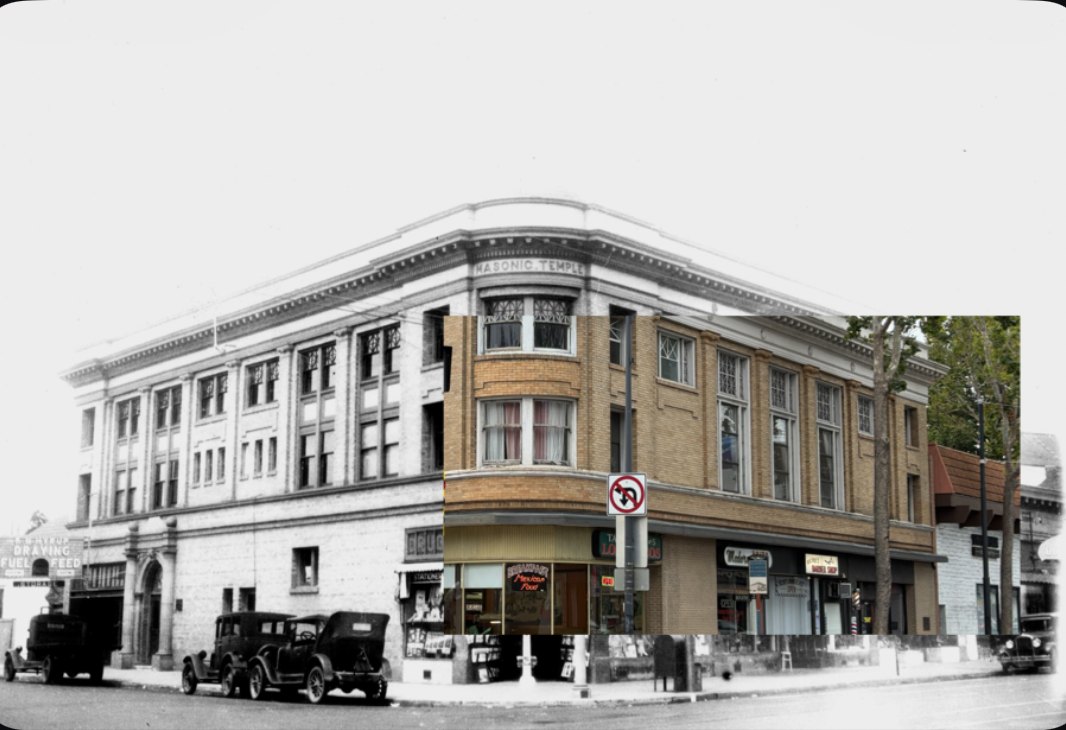
The adjust screen: nudge, rotate and scale controls under the pair.
Adjust, before it goes out.

Transformations take many forms. Somewhere to start:

People A kid on the same step. A face, year by year. Everyone in one doorway at Thanksgiving.
Places A shoreline. A glacier. Your corner. The garden in spring.
Moments First day of school. Moving-in day. The remodel, finally done.

The good ones are probably things nobody would think to photograph twice. Be creative, and share your work with others!

Want in?

The public beta is open to anyone with an iPhone. The App Store release is planned for October. Pick which one of these makes sense for you.

An Android version and a companion iPad app are both on the way. Sit tight.

Hands on

Try the beta, today

The beta runs through TestFlight, Apple's free app for trying things before they ship. Tap the button, let it install TestFlight if you don't have it, and Vantage Point lands beside your normal apps. It uninstalls clean.

Join the beta on TestFlight

Leave your email too and you'll get the notes when a new build goes out, and the launch-day mail. That part is optional.

Hands off

Just tell me when it's out

No beta, no testing, nothing to install. I'll email you on the day it hits the App Store and every so often after that when there's something worth showing you.

Already testing? Bugs and ideas go to the feedback form, and testers compare pairs in r/VantagePointApp.

The signup form is run by Kit, so that part talks to them. Kit also tells me whether an email got opened. That's all I see. I'm not going to sell your address or hand it to anybody, and one line in any email gets you off the list for good.

Why I made this

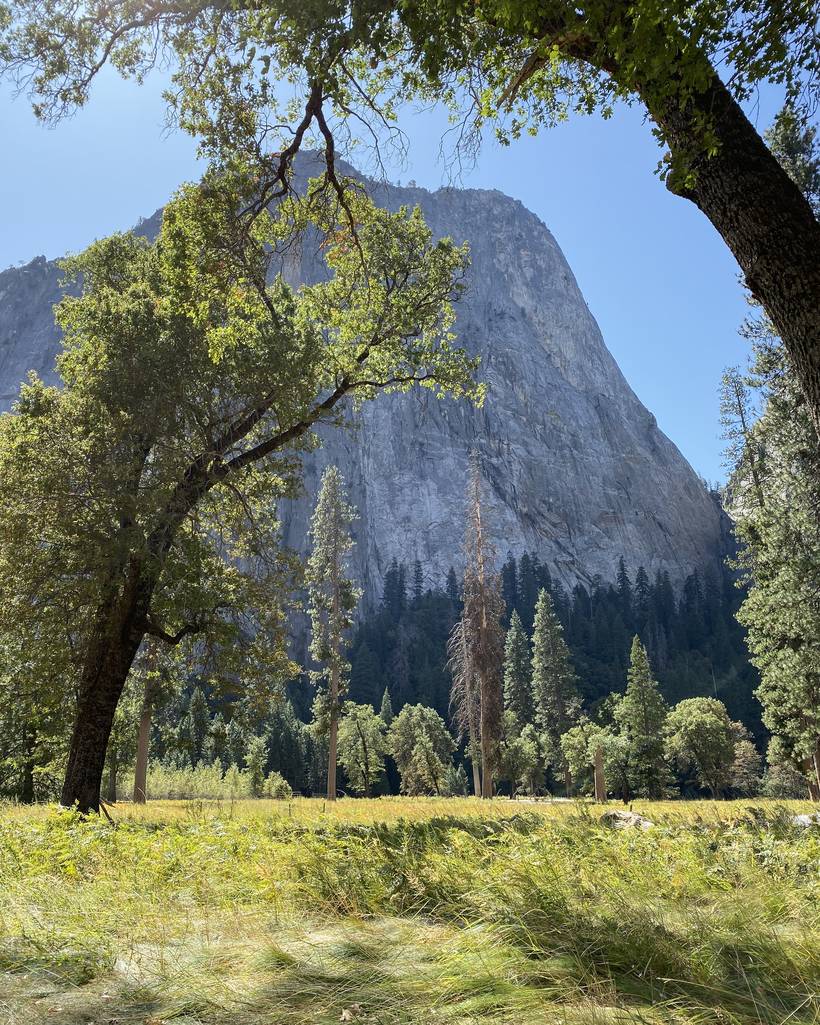
My family takes the same picture in the same spot in Yosemite Valley every autumn. Every year we'd stand there trying to remember how we managed it the year before. Where the camera went, who stood where, which way to aim. We'd get close. Close was never the same as right.

What bugged me is that we're all walking around with a very good camera and a pile of sensors in one pocket, and none of that hardware was any help with the one job I actually wanted done. So I started building something that would put the sensors to work.

The idea grew from there. The same corner of the garden every spring. The same first day of school picture, year after year.

Tools and new technology have always fired up my creative side. Once the vision really started to come together in a working app, this became the way I wanted to share the idea with others.
A granite wall in Yosemite Valley framed by an oak, with pines and a meadow in the foreground.
Yosemite Valley. Photo by Rob Killian.
Step 01

Start with any photo

Anything on your device, or a scan of an old print. You can also use Photos near me to pull up shots that were taken close to where you're standing. Whichever you pick becomes the reference for the spot, and everything else works back from there.

Step 02

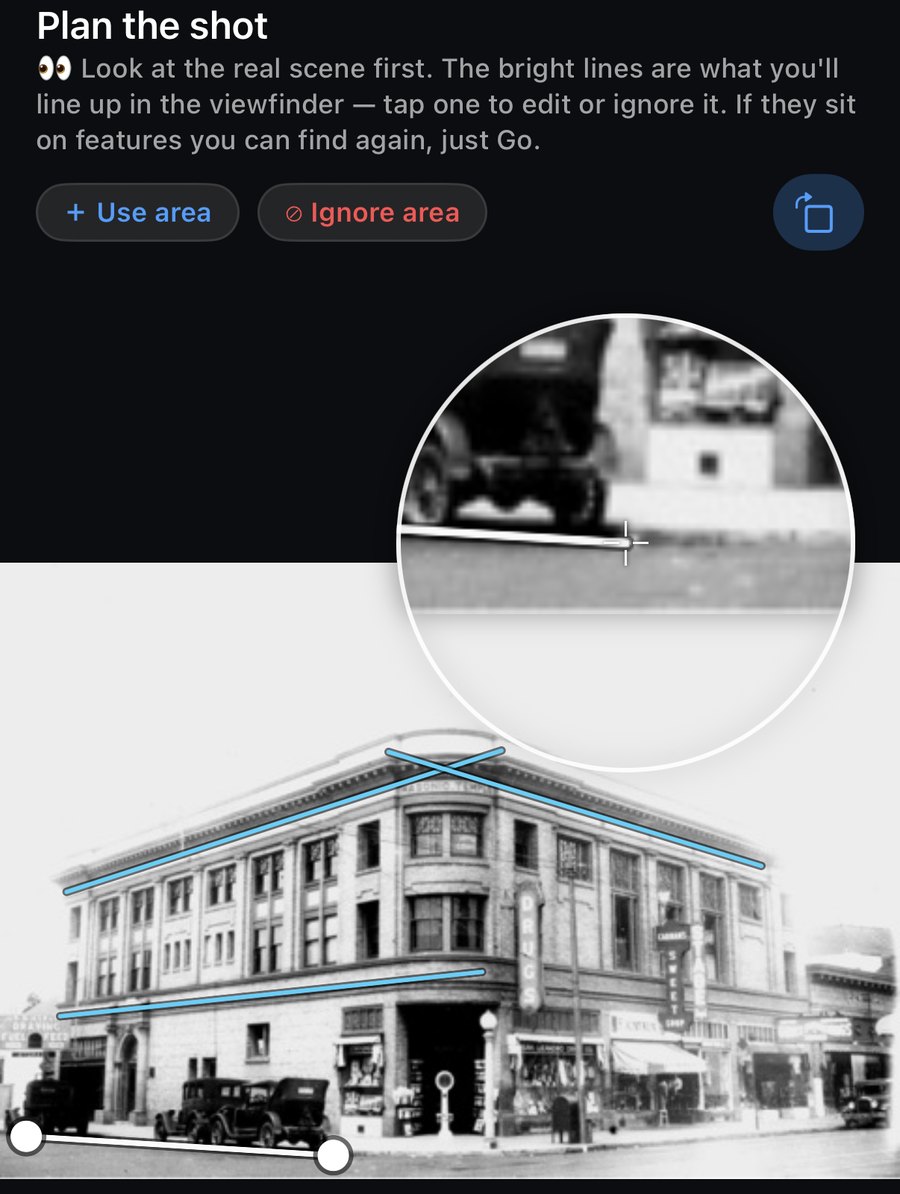
Plan the shot

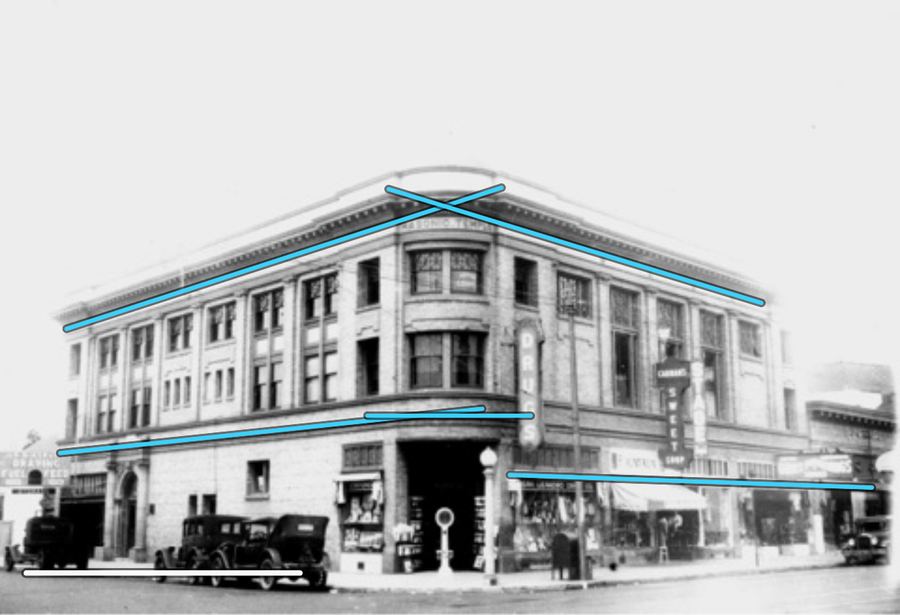
The app pulls the strong edges out of the old photo and puts them on your screen as focus lines. Getting back to the spot becomes a matter of walking until the lines land on the real thing, one at a time, instead of guessing from memory.

As you go, the app gives you suggestions and tools to help you frame it correctly and get the picture set.

The Plan the shot screen: a historic photo of a corner building with bright blue lines drawn along its rooflines and cornices, and a magnifier loupe zoomed in on one of them.
Lines pulled off the original, ready to be matched up in the viewfinder.
Step 03

Line it up

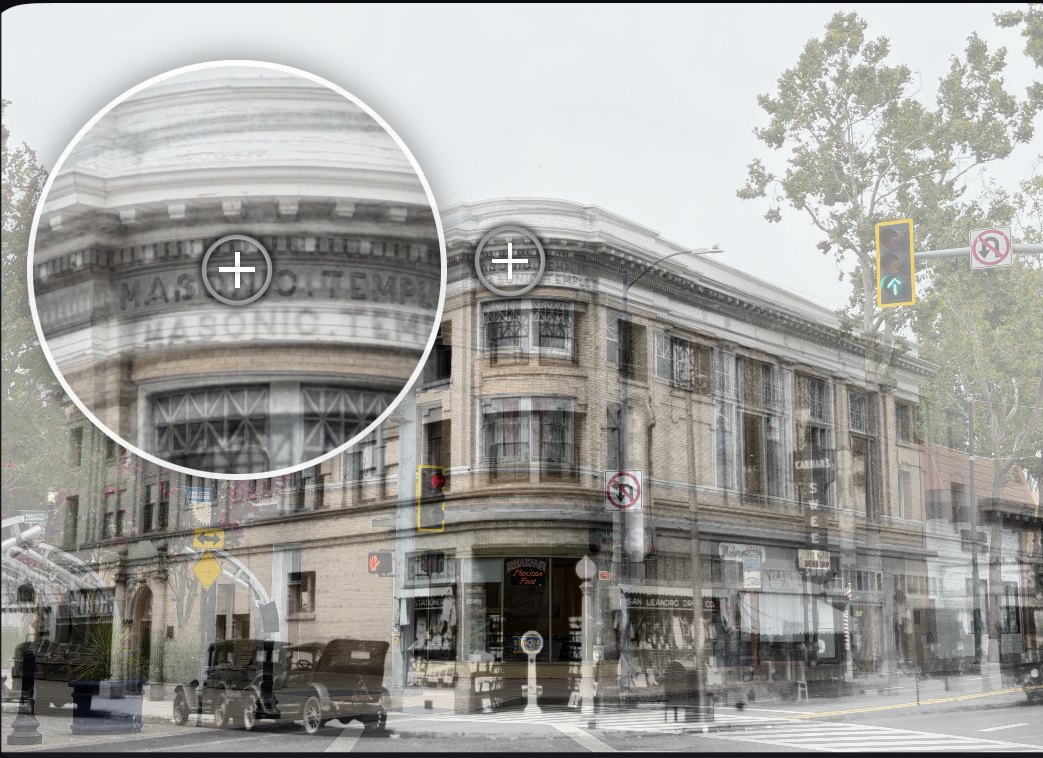
The old photo sits over what your camera is seeing, so you can watch the lines settle onto the real thing. Move your feet, not just the phone, and watch where you're stepping. When it looks right to you, take the picture.

The historic photo blended over today's view of the same building, with the magnifier open on the old lettering where the two photos meet.
The magnifier open on the old lettering, sitting on the one that's still up there.
Step 04

Adjust and export

Nudge, rotate or scale either photo until the two sit exactly how you want, then pick how the pair goes out. Side by side, stacked, one fading into the other, or as a wipe. Save the finished picture to your library or send it straight to someone.

Nothing you make gets a watermark, and nothing ever will.

It all happens on the phone

Everything happens on the phone itself, and I never see any of it. Your photos don't hit a cloud, an edge server or a data lake. Nothing you make gets used to train an AI model.

  • No account. Nothing to sign up for and nothing to log into.
  • No servers. Every photo and every alignment stays on the device.
  • Never used for AI training. Not yours, not anybody's.
  • Location stays put. Used to get you back to the spot, and nowhere else.

This is a tool, not a big tech company. I built it for myself, as a dad, a tinkerer, an explorer, a tech enthusiast and an amateur photographer. If you're fascinated by change, by history, or you love watching your kids grow up, this app is for you. Rob

Read the full privacy policy

Free, with a way to chip in later

Vantage Point is free, and the part you'll use most stays free. No ads, no watermark, and no cap on how many places you keep going back to. That includes the short clip that sweeps from the old photo into your new one. It's yours to post.

Further down the road there'll be a one time unlock for some extra things I'm building. A timelapse of a whole series, more ways to cut a clip, black and white looks, sizes for the different apps. The unlock is for people who want those, and for anyone who just wants to help keep the project going. Buy once, not a subscription. Nothing that works today gets moved behind that later.

Pick whichever one fits

Test the app with me now, or just hear from me on launch day. Both are useful, and neither one signs you up for anything else.

Hands on

Try the beta, today

Try it on your own old photos and tell me what broke.

Join the beta on TestFlight

Email is optional: build notes while the beta runs, and the launch-day mail.

Hands off

Just tell me when it's out

One email on the day it lands on the App Store, and not much after that.